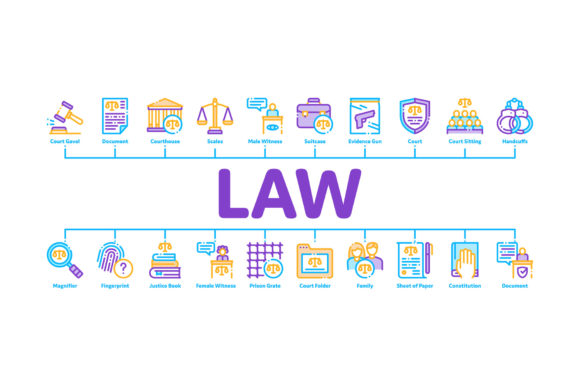
Streamlining Legal Visuals with Law and Judgement Minimal Infographic Assets
Communicating complex legal concepts requires a delicate balance between authority and accessibility. Whether you are designing a presentation for a law firm, creating educational content for a civics class, or building a web interface for legal services, the visual language you choose dictates how the information is received. This is where the Law and Judgement Minimal Infographic collection becomes an essential asset. By utilizing clean, linear pictograms and color contour illustrations, designers can transform dense statutory information into digestible, professional visuals that maintain the gravity of the subject matter without overwhelming the viewer.
The Power of Linear Pictograms in Legal Design
Minimalism in legal design is not merely an aesthetic choice; it is a functional necessity. Legal topics are inherently heavy, often associated with stress, complexity, and bureaucracy. When visual assets are overly ornate or realistic, they can add to this cognitive load. The Law Document Concept Linear Pictograms found in this vector set address this by stripping away non-essential details. A simple line drawing of a contract or a gavel communicates the concept instantly, allowing the viewer to focus on the accompanying text or data rather than deciphering a detailed illustration.
This linear approach aligns perfectly with modern user interface trends. In an era where legal tech platforms and digital law firms dominate the market, consistency across digital touchpoints is vital. These minimal vectors scale effortlessly from a small mobile app icon to a large-format courtroom display without losing clarity. The absence of heavy shading or complex gradients ensures that the graphics remain crisp on high-resolution screens and print media alike, maintaining a professional standard that reflects the precision of the legal profession itself.
Deconstructing Key Symbolic Elements
A comprehensive infographic set must cover the breadth of legal practice, moving beyond the generic scales of justice. This specific collection includes nuanced symbols that cater to specialized areas of law, each serving a distinct narrative purpose:
- Courthouse and Judge: These are the foundational icons of the system. In a minimal style, they represent institutional stability and procedural fairness. They are best used as anchor points in infographics explaining court hierarchies or litigation timelines.
- Gun and Magnifier: This pairing is crucial for criminal law, forensic science, and investigative journalism contexts. It visually bridges the gap between the act and the investigation, making it ideal for case study breakdowns or evidence processing workflows.
- Fingerprint and Suitcase: These symbols introduce the human and corporate elements. Fingerprints suggest identity, biometrics, and personal liability, while the suitcase implies business travel, corporate law, or asset transport. Together, they can illustrate white-collar crime or international legal compliance.
- Law Document Concepts: Perhaps the most frequently used assets, these pictograms represent contracts, verdicts, and filings. Their simplified form allows them to be used as bullet points, section headers, or status indicators in document management interfaces.
Technical Versatility: EPS and JPG Formats
For designers and content creators, the utility of a graphic asset is defined by its file format flexibility. This collection provides both EPS and JPG options, catering to distinct stages of the production workflow. Understanding when to use each format is critical for maintaining quality and efficiency.
The EPS (Encapsulated PostScript) files are the workhorses of professional design. As vector-based files, they contain mathematical paths rather than pixels. This means a designer can open the EPS file in Adobe Illustrator or CorelDRAW and resize the Law and Judgement Minimal Infographic elements to the size of a billboard without any pixelation. More importantly, the vector format allows for complete customization. Need to change the "color contour" to match a specific law firm’s brand palette? With EPS, this is a matter of seconds. You can adjust stroke weights, merge shapes, or isolate individual icons to create custom compositions that feel bespoke rather than stock.
Conversely, the JPG formats serve the immediate needs of non-designers and rapid publishing workflows. If a paralegal is drafting a newsletter in Word, or a marketing manager is updating a WordPress blog post, they likely do not have vector editing software. The pre-rendered JPGs provide high-quality, ready-to-use imagery that integrates seamlessly into office suites and CMS platforms. Having both formats included in the package eliminates the bottleneck between the design team and the content team, ensuring that visual standards remain consistent regardless of who is producing the material.
Integrating Color Contour Illustrations
The "color contour" style mentioned in this asset pack offers a sophisticated middle ground between stark black-and-white line art and full-color cartoons. This technique uses color to define boundaries and add depth without resorting to realistic rendering. In legal infographics, color is often used functionally to code information. For example, blue contours might represent civil procedures, while red contours indicate criminal statutes or warnings.
This stylistic choice also aids in emotional regulation. Bright, saturated colors can sometimes trivialize serious legal topics, making them appear childish. Muted or controlled color contours maintain a tone of sobriety and professionalism while still providing the visual interest necessary to keep an audience engaged. When designing a Law And Judgement Minimal Infographic Web Banner Vector, this balance is particularly important. The banner must grab attention in a crowded digital space but must immediately signal trustworthiness and competence upon closer inspection.
Practical Applications Across Industries
The versatility of these linear pictograms extends far beyond traditional law firm marketing. Various sectors rely on clear legal iconography to communicate compliance, rights, and procedures.
Legal Technology and SaaS: Modern legal software relies heavily on intuitive UI. Dashboard interfaces use these minimal icons to guide users through e-discovery, contract lifecycle management, and case tracking. A fingerprint icon for authentication or a magnifier for search functions reduces friction and improves user experience.
Education and Training: Law schools and corporate compliance training programs use these visuals to break down monotonous regulatory texts. An infographic detailing the steps of a trial using the courthouse and judge icons helps students retain procedural knowledge better than text alone. Similarly, employee handbooks use document and suitcase pictograms to make policies regarding travel expenses or confidentiality agreements more approachable.
Journalism and Media: News outlets covering high-profile trials require accurate, neutral visuals. Realistic depictions of weapons or crime scenes can be sensationalist or inappropriate. The abstract nature of the gun and magnifier vectors allows media organizations to illustrate crime stories responsibly, focusing on the systemic aspects rather than graphic details.
Considerations for Effective Implementation
While the Law and Judgement Minimal Infographic assets are designed for ease of use, successful implementation requires thoughtful consideration. Context is paramount. A symbol that works well in a corporate merger presentation might be misinterpreted in a family law brochure. Always test icons with a sample of your target audience to ensure the intended message is being conveyed clearly.
Consistency is another critical factor. Do not mix these minimal linear pictograms with other illustrative styles within the same project. Visual dissonance undermines credibility. If you begin with these color contour illustrations, carry that style through every slide, page, or screen. This creates a cohesive visual identity that reinforces the professionalism of the content.
Finally, consider accessibility. Minimal infographics generally perform well for users with visual impairments because of their high contrast and simple shapes. However, always ensure that color is not the sole method of conveying meaning. Pair the color contour illustrations with clear labels or alt-text descriptions to ensure that the legal information remains accessible to all users, complying with both ethical standards and regulations like the ADA or WCAG.
By leveraging these specialized vector assets, professionals can elevate their legal communications from dense and intimidating to clear and compelling. The combination of symbolic accuracy, technical flexibility, and minimalist aesthetics makes this collection a fundamental tool for anyone tasked with translating the language of law into the language of visual communication.